Native macOS App

The Text Editor
macOS Was Missing.

Fast, lightweight, and versatile. A powerful Notepad-style editor built natively for macOS. The perfect alternative for developers who miss Notepad++ on their Mac. Perfect for Logs, JSON, XML, Shell Scripts, and Markdown.

Download for macOS Learn More
1 import Foundation
2
3 // MacPad++ is built for speed and simplicity
4 class MacPadEditor {
5 var isNative: Bool = true
6 var features: [String] = [
7 "Instant Launch",
8 "Regex Search",
9 "Large File Support"
10 ]
11 }
Blazing Fast

Opens instantly. Handles large log files without choking. Built with Swift, not Electron.

🔍
Deep Search

Advanced Find & Replace with Regex support. Search across multiple files in seconds.

📄
Format Master

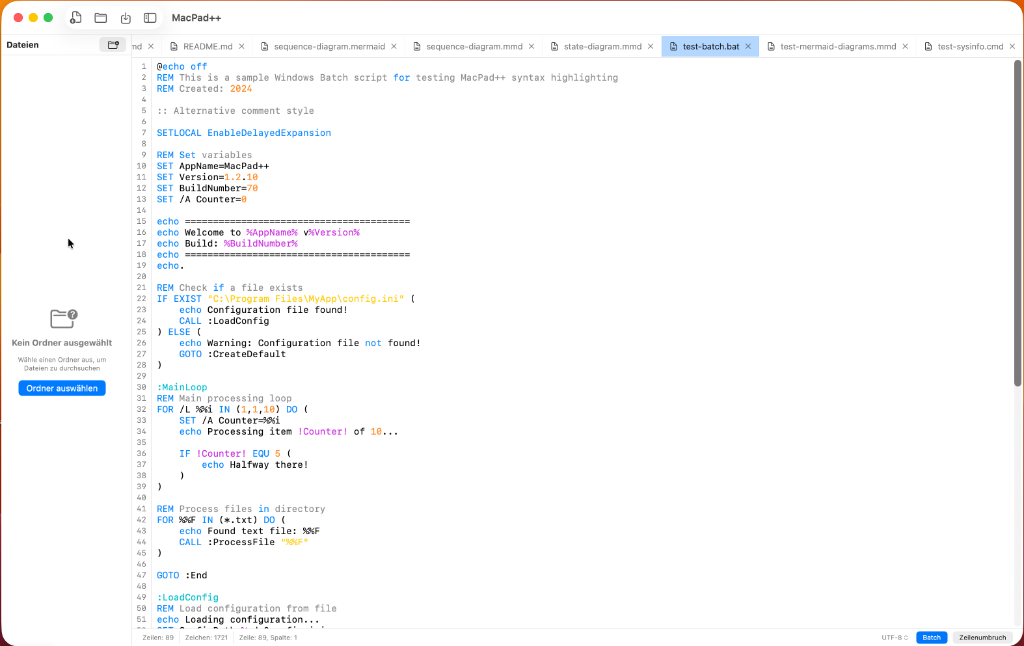
Native syntax highlighting for JSON, XML, YAML, Swift, and more. Auto-indentation included.

Not Just for Code

MacPad++ isn't trying to replace Xcode. It's your swiss-army knife for everything else. View massive server logs, tweak config files, or write quick scripts.

MacPad++ Editor View
New Features

Visual Power Tools

Beyond simple text editing. MacPad++ brings your content to life.

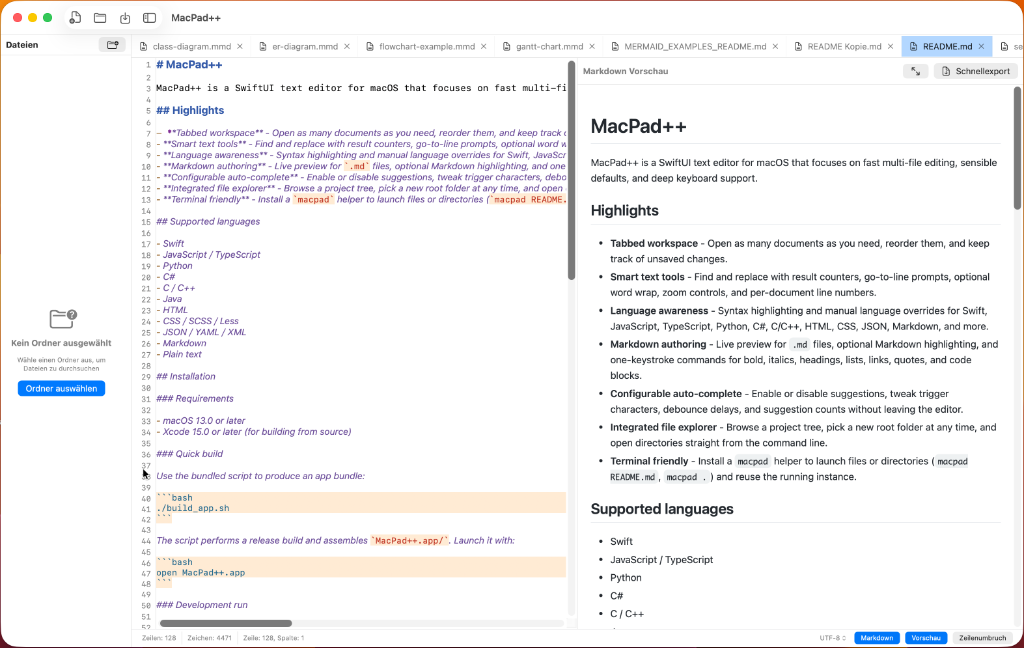
Markdown Live Preview

Markdown Live Preview

Write in Markdown and see your changes instantly. No need to switch between apps or windows. Perfect for documentation, READMEs, and note-taking.

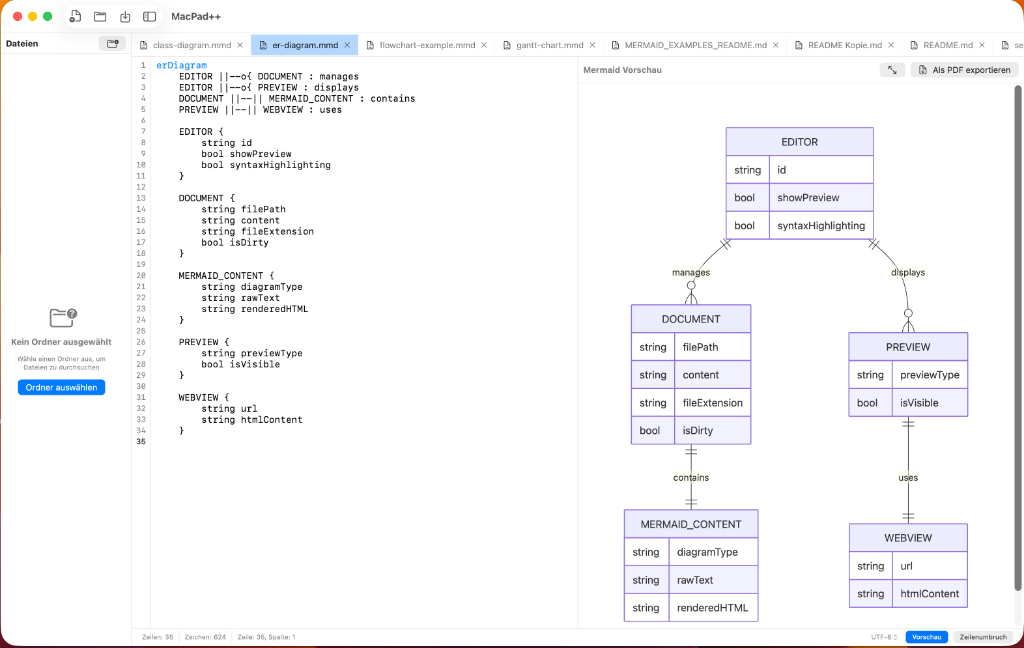
Mermaid Diagrams

Mermaid Diagrams

Visualize your ideas with native Mermaid support. Create flowcharts, sequence diagrams, and gantt charts directly in the editor. Just type and watch your diagrams appear.

Complete Feature Set

Everything you need for serious development.

✏️ Editing Essentials

  • Multi-Tab Interface
  • Split View (Horizontal & Vertical)
  • Line Numbers & Word Wrap
  • Smarts Auto-Completion
  • Auto-Save & Safe Close

💻 Language Support

  • Swift, C, C++, C#, Java
  • JavaScript, TypeScript, Python
  • HTML, CSS, SCSS, JSON, XML
  • YAML, Batch, Log Files
  • Native Syntax Highlighting

🔍 Advanced Search

  • Global Project Search
  • Regular Expressions (Regex)
  • Case Sensitive / Insensitive
  • Find & Replace across files
  • Goto Line (Cmd+L)

🛠️ Power Tools

  • File Diff Viewer (Compare)
  • Terminal Integration
  • PDF Export
  • File Explorer Sidebar
  • Invisible Character View

👁️ Live Preview

  • Real-time Markdown Preview
  • Mermaid Diagram Rendering
  • Flowcharts & Sequence Diagrams
  • Gantt Charts & Git Graphs
  • Export capabilities

Utilities

  • Sort Lines (Asc/Desc)
  • Remove Duplicates
  • Trim Whitespace
  • Change Case (Title/Upper/Lower)
  • Dark Mode Optimized